 Somvia
Understand your sleep,
recovery and training
Somvia turns your Apple Health records into daily scores, workout analysis and long-term trends. Explore them in the app, or connect your AI Agent to ask questions about your own data
Reviewed by the5krunner
What intensity today?
health_get_daily_summary → health_list_workouts
Recovery is 50, Low. Overnight HRV was 6 ms below your usual and resting heart rate 5 bpm above it. Keep it easy: 40 minutes at conversational pace.
Know where you stand, every morning.
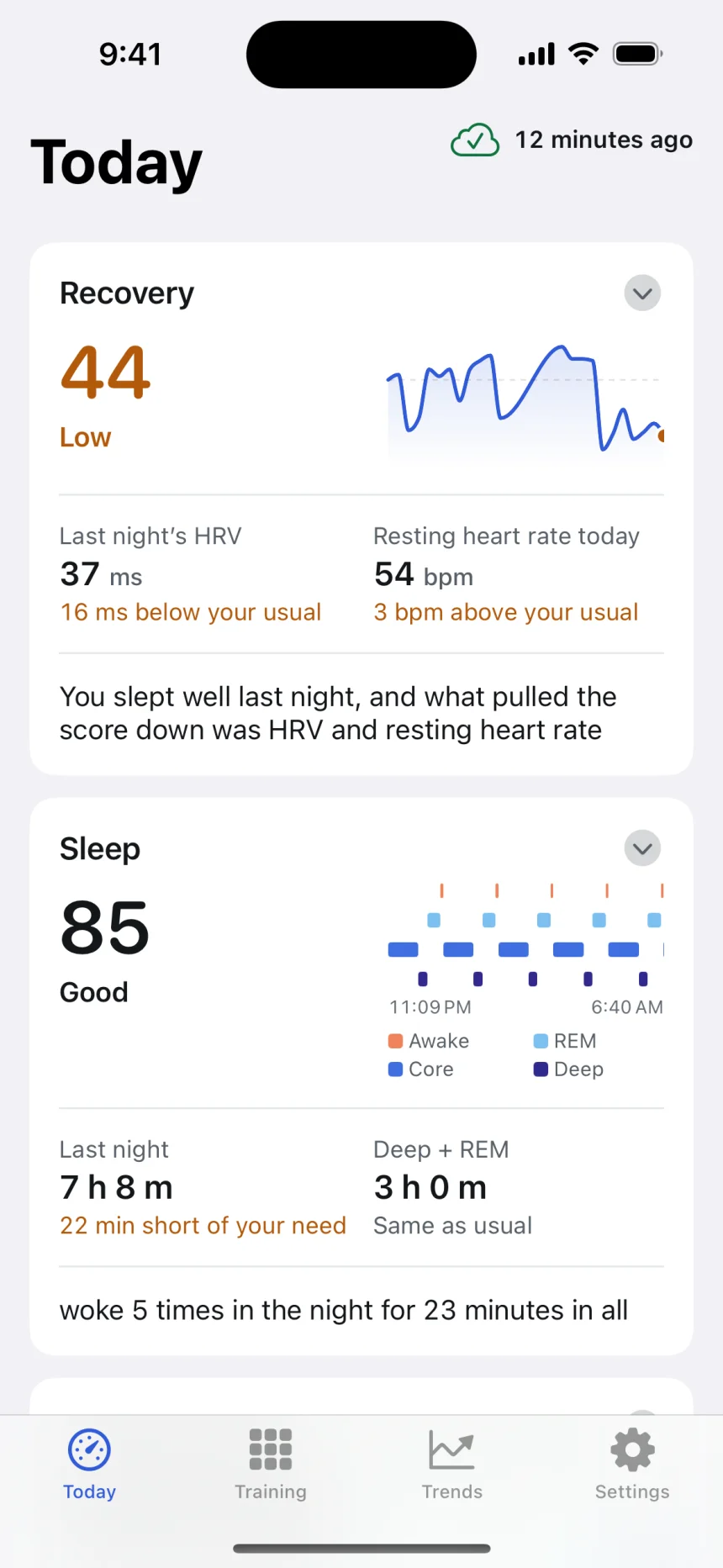
See your recovery, sleep and training status alongside the readings behind them. Compare last night with your usual and see how recent training contributes to your recovery
- Recovery Overnight HRV, resting heart rate, sleep and recent load, on one 0 to 100 scale.
- Sleep score Sleep duration, bedtime regularity, time awake, deep and REM sleep, and overnight readings
- HRV status Your recent overnight HRV compared with your own longer-term history
- Training status How your training load and performance are changing together
Each score needs different records. Somvia uses your existing Apple Health history and shows what is missing when there is not enough data. How the recovery score is estimated →
Every session, segment by segment.
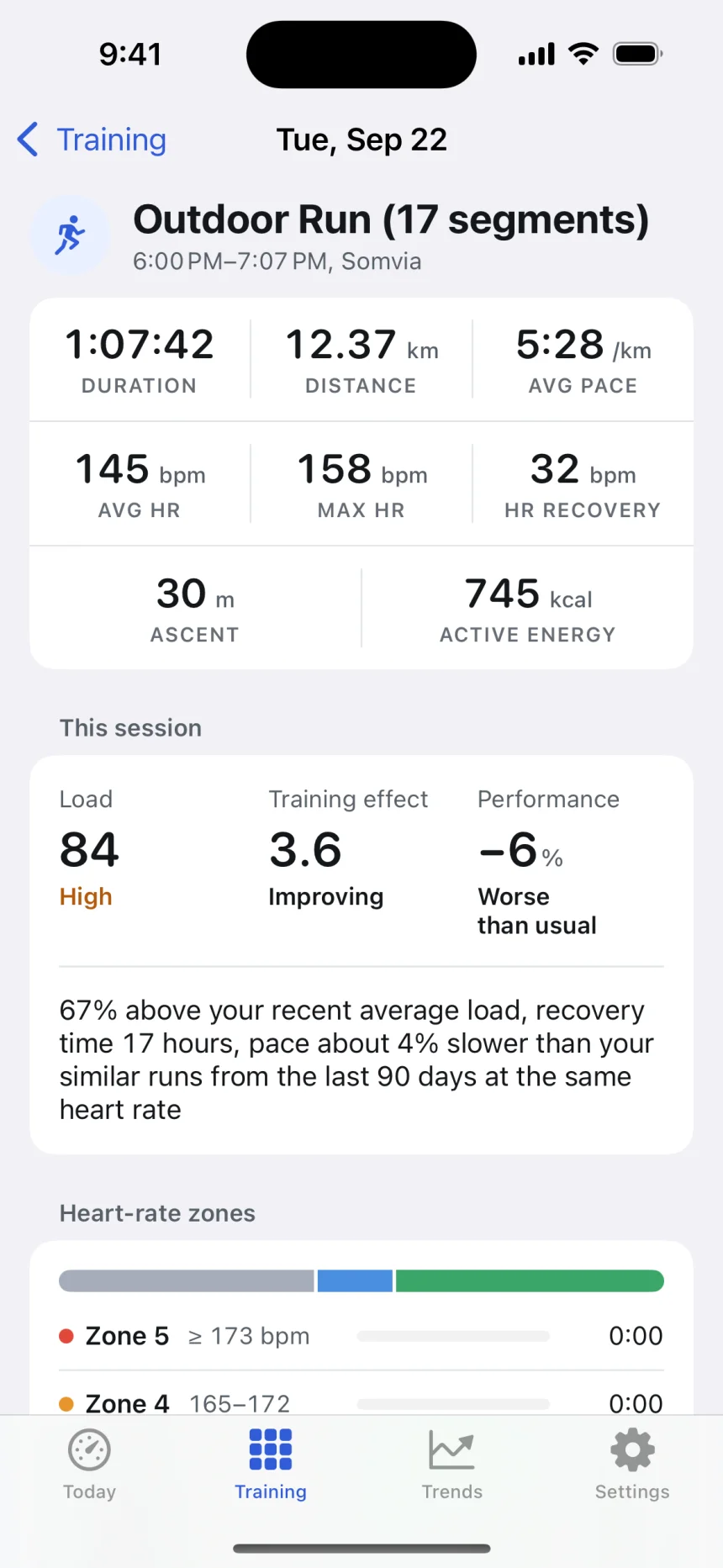
Review heart rate zones, splits and workout curves together. Compare each segment and add a note about how the session felt
- Splits The segments the watch recorded, with pace, distance and heart rate for each.
- Curves Heart rate, pace, power and cadence over the session, when Apple Health has them.
- Training effect and load What the session did aerobically and what it added to the week.
See how your training is changing
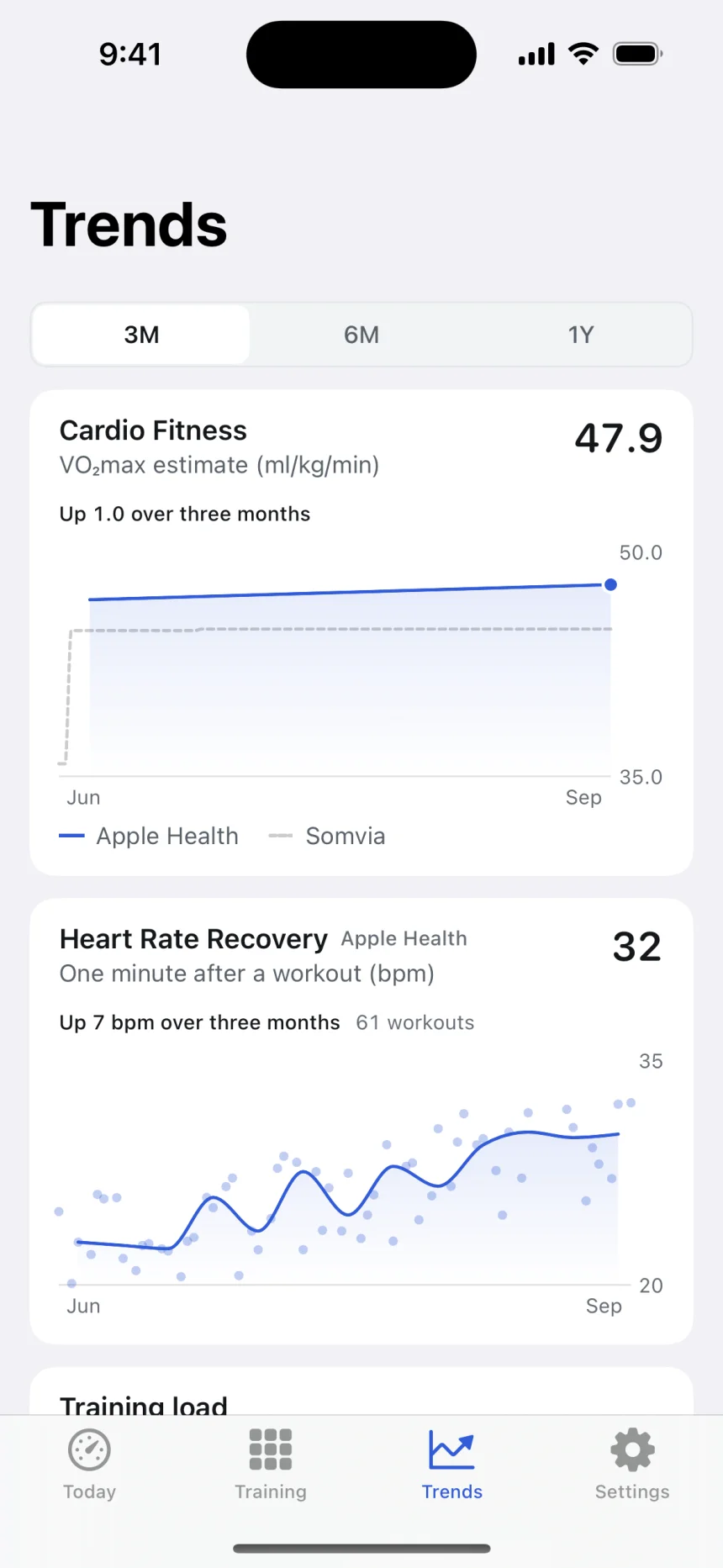
Follow changes in cardio fitness, heart rate recovery and training load. In Training, compare workout count, duration, distance and elevation gain by month or with the same period last year
- Cardio fitness Apple Health's own figure and Somvia's estimate from your sessions, on the same chart.
- Heart rate recovery How fast your heart rate falls in the minute after a session ends.
- Training load Long-term and recent training load, shown alongside changes in your weekly volume
How training load is estimated → · Why two VO2 max numbers →
Estimates for training and racing
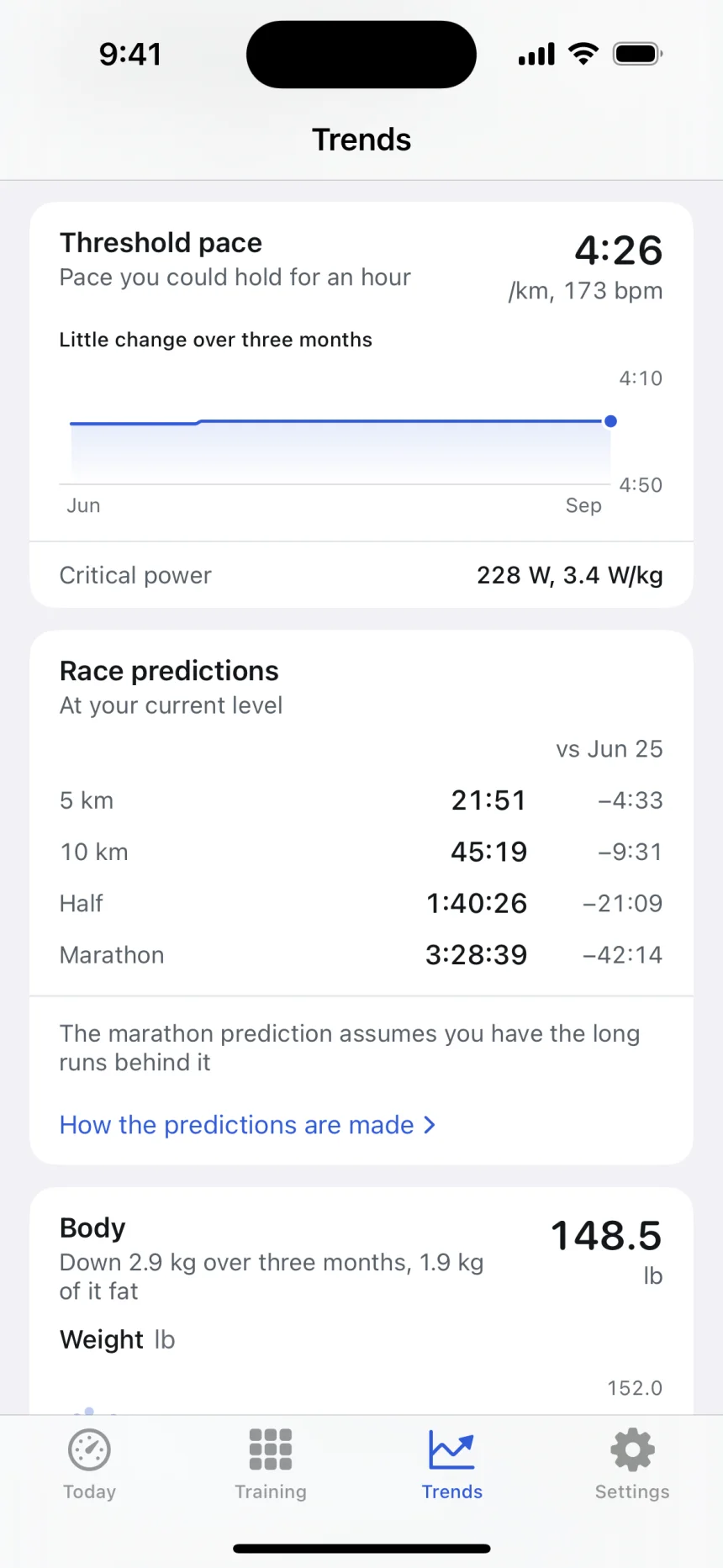
See estimates of your threshold and race times from recorded workouts, with the data and methods behind them
- Threshold pace and heart rate The pace you could hold for an hour, and the heart rate that goes with it.
- Critical power In watts and watts per kilogram, from rides with a power meter.
- Race predictions 5 km, 10 km, half and full marathon, with how each has moved.
- Intensity distribution How the last four weeks split between low aerobic, high aerobic and anaerobic.
How threshold is estimated → · How race times are predicted →
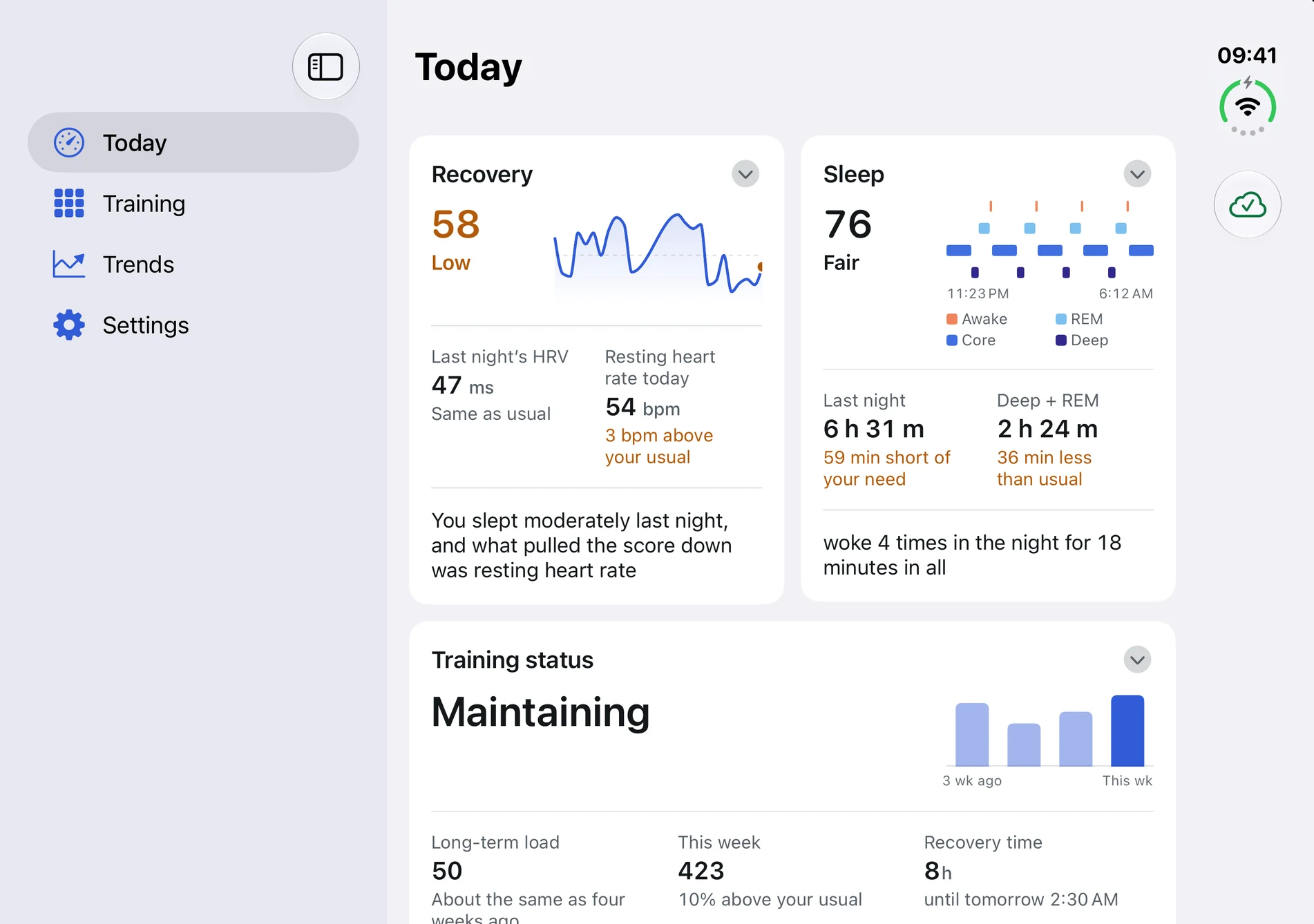
Somvia on iPhone Duo
See recovery and sleep side by side. Explore your workouts and trends in a layout that fits the larger display.
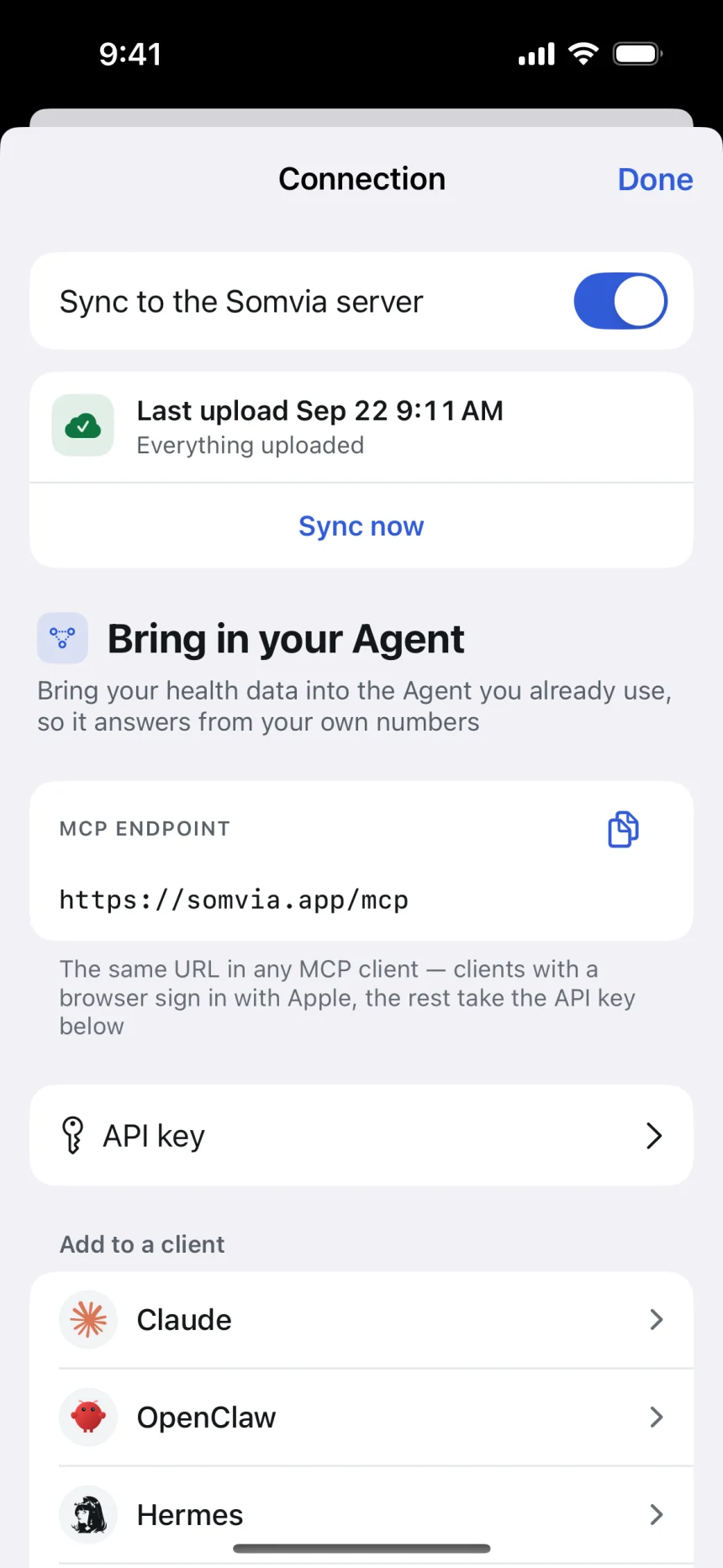
Connect the AI Agent you already use.
Somvia gives your account a private remote MCP endpoint. Your Agent reads the scores, the daily values and the session detail, and answers from your own numbers. You choose the model, so you can use the strongest one you have, and it only changes when you change it. No export, no desktop server.
| Client | How it connects |
|---|---|
| Claude, ChatGPT, Codex and other OAuth-capable MCP clients | Sign in once with Apple |
| OpenClaw, Hermes, Grok, Muse and other Agents that connect with a key | Private som_ access token, no browser sign-in |
| Any Streamable HTTP MCP client | Standard remote endpoint at https://somvia.app/mcp |
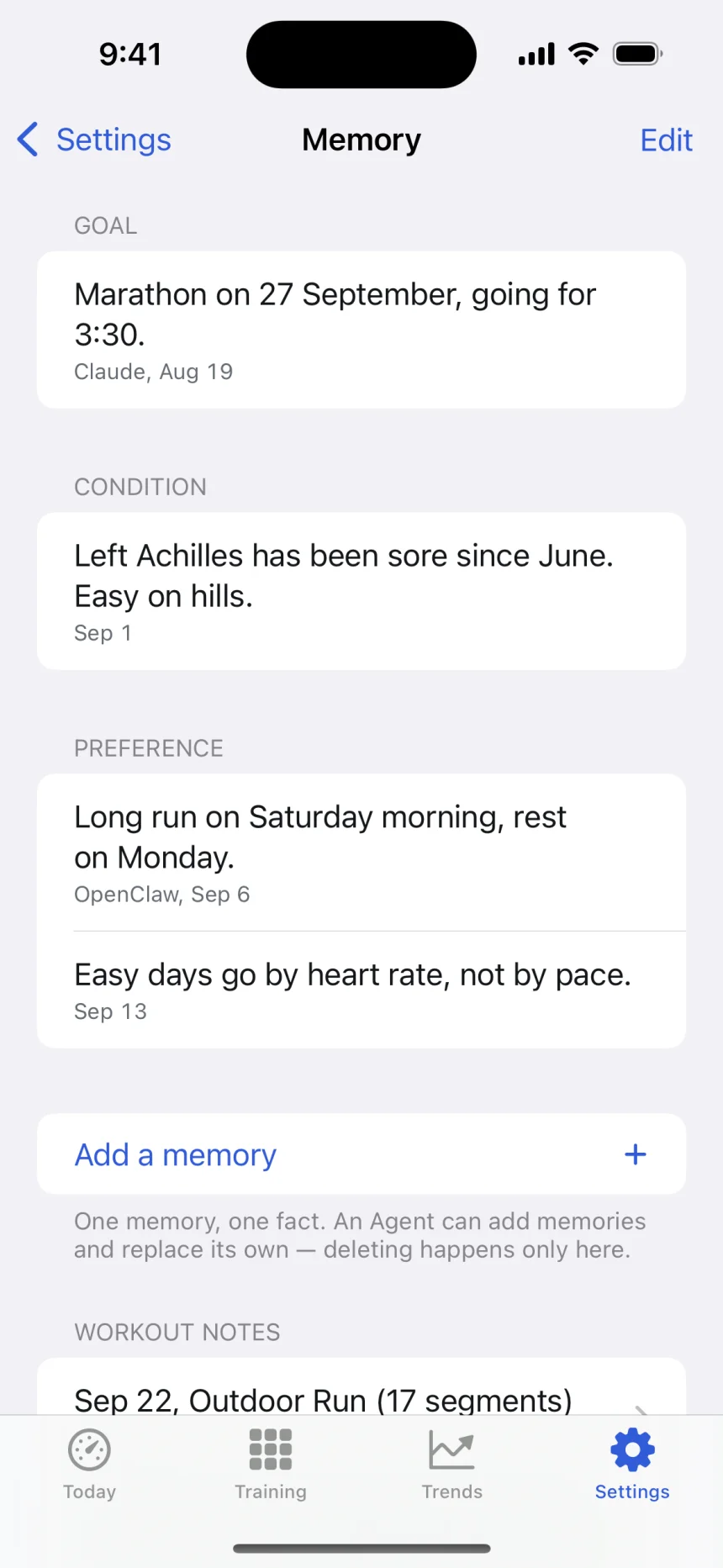
Memory that survives a change of Agent.
Keep your race goals, injuries, medication and training preferences with your Somvia account. A different Agent can read the same background when you connect it
- Written by you or by an Agent Save memories in the app or through an Agent. View, edit and delete them in the app
- Available across Agents A connected Agent can read the context you have saved
- Notes on a session What you have to say about a workout travels with that workout.
Somvia in under a minute
How Somvia keeps your recovery score, workouts, notes and memories ready, so the AI Agent you already use can answer what to train today
How it works
-
Install Somvia, authorize Health
Choose which health data Somvia may read in the iOS permission sheet. The categories you later select for syncing control what is uploaded to your account
-
Let it read your history
Somvia uses your existing Apple Health records to calculate scores and training analysis on your iPhone. Health data upload stays off until you enable it
-
Connect a compatible client
Open Connection from Today or Settings, enable syncing and choose what to share. Connect a compatible client through
https://somvia.app/mcpwith Sign in with Apple, or use an access token for a headless Agent -
Ask a real question
Should I go hard today, what has my threshold done since April, why is my recovery low. The answer comes from your numbers.
Connect it. Then ask better questions.
Practical setup guides for each client, plus a clear explanation of the workout data an Agent can actually use.
Start with Apple Health MCP →- Why I built SomviaHow an agent reads my workouts, notes and scores to help me train.→
- How the scores workThe published models behind every number, and what each one needs.→
- Recovery apps comparedAthlytic, Bevel, Training Today, Gentler Streak and Somvia, row by row.→
- Hermes AgentRemote HTTP MCP with a private bearer token.→
- OpenClawHistorical data alongside OpenClaw's native daily summary.→
- ClaudeCustom connector and Sign in with Apple.→
- ChatGPTNative Health versus the reusable MCP path.→
- Workout analysisSplits, heart-rate curves, pace, power, and cadence.→
Built to stay private
- Health access
- iOS controls which health data Somvia can read. Your upload selections separately control which categories are shared with connected Agents
- Upload
- Health data upload is off by default. Enable it in Connection to share selected categories with your Agents. Local scores and analysis work without uploading health data
- Where the scores are computed
- On your iPhone, from the data already in Apple Health. No model is asked to guess them.
- Transport
- Encrypted in transit. Your private MCP connection is bound to Sign in with Apple.
- Tokens
- Access tokens are stored server-side only as SHA‑256 hashes, never in plain text.
- Ads & resale
- No ads. Your data is never sold.
- Deletion
- Delete the data on the server from the Connection page and keep your account, or delete the account and everything with it from Settings, any time.
Questions
Where do the scores come from?
From the data your devices have already written to Apple Health: overnight sleep and heart rate, resting heart rate, HRV, and the workouts themselves. Somvia estimates the scores on your iPhone using published sport-science models, and every score opens to show which measurements it came from.
Do I need an Apple Watch?
Apple Watch worn during sleep provides the overnight readings used for recovery and HRV analysis. Somvia can also read records from other devices through Apple Health, but available scores and workout details depend on which data those devices write.
How long before the scores appear?
Each analysis needs different records. Sleep uses recorded nights, recovery needs enough overnight readings to compare with your usual, and HRV status compares your recent nights with a longer history. Existing Apple Health records count, so you do not have to start from zero. The app shows which data is missing.
How does Somvia connect to an AI Agent?
Somvia gives your account a private remote MCP endpoint. Claude, ChatGPT, Codex and other OAuth-capable clients sign in with Apple. OpenClaw, Hermes, Grok, Muse and other Agents that connect with a key use a private som_ access token issued in the app. The Agent reads your scores, daily values and session detail through the standard MCP connection.
Which AI model does Somvia use?
None of its own, so the choice is yours. When you ask about your training, the agent you connect, such as Claude, ChatGPT, OpenClaw or Hermes, answers with the model you selected in it, and you can switch to a stronger model as soon as one is available. An app with its own AI picks the model for you. With Somvia you know which model reads your data, and it only changes when you change it. The scores themselves are calculated on the iPhone with published formulas, and Somvia's server does not call a language model. Somvia has no AI allowance or credits, so how much you ask depends only on your own AI plan.
What is MCP?
MCP (Model Context Protocol) is an open standard for connecting compatible clients to external tools and data sources. Somvia exposes your scores and health data as a standard remote MCP server, with no custom integration required.
Does the memory follow me between Agents?
Yes. Goals, injuries, medication and preferences are stored with your account rather than inside one client, so an Agent you connect later reads what you told the previous one. Every entry can be read, edited and deleted in the app.
Does Somvia provide medical advice?
No. Somvia is not a medical device and does not provide medical advice, diagnosis, or treatment. The scores are estimates, not clinical measurements. Always consult a qualified healthcare professional in addition to using Somvia and before making any medical decisions. For general background, see Apple Health data, NIH sleep information, and CDC physical activity information.
Is my health data private?
Scores and training analysis run on your iPhone. Health data upload is off by default. If you enable it, selected data is sent over an encrypted connection to Somvia's server for your connected Agents to read. You can change the shared categories, revoke connections, delete server data or delete your account. No ads and no sale of your data.
How much does Somvia cost?
The app is free to install and set up. Somvia Pro (a subscription or a one-time lifetime purchase) unlocks the scores, hosted sync and agent access. Current pricing is shown in the app.
Your sleep, recovery and training.
Easier to understand
Explore your records in Somvia, and ask your AI Agent about the data you choose to share
Download on theApp Store